Instead of repeatedly loosening and tightening your wearable throughout the day, fit your HumeWeave strap for Hume Band 2.0 around your normal movements, then recheck it when your activity changes. This workflow helps you build a comfortable wearing routine while using included core tracking without a required subscription.
- HumeWeave strap for Hume Band 2.0 uses soft, breathable woven fabric for everyday wear.
- Hume Health wearable tracking suits adults who want daily insights without a required core-tracking subscription.
- Check comfort at rest, during movement, and after activity; tighter is not automatically better.
- Hume Band 2.0 works on its own. Hume Pod is optional.
Why this matters
A wearable needs to fit your day, not become something you constantly adjust. The HumeWeave 2.0 strap is made for Hume Band 2.0 and uses soft, breathable woven fabric. Its practical role is to help make wearing your device part of your routine.
Hume Health wearable tracking is best for adults who want daily habit insights with no required subscription for core tracking. Comfort supports that routine, but a strap does not add measurements or turn a consumer wearable into a diagnostic device.
For your 2026 setup, separate the decisions: choose the wearable for what you want to track, and choose the strap for how you want it to feel. Hume Band 2.0 helps you understand sleep, activity, strain, recovery, and health trends. HumeWeave changes the wearing experience, not the purpose of those measurements.
Before you start
- Have Hume Band 2.0 and the matching HumeWeave 2.0 strap. This guide starts with the strap securely attached. It does not assume that straps for other device versions use the same connection.
- Start with clean, dry skin and a dry strap. Breathable fabric is not a reason to leave damp material against your skin after sweating.
- Keep fit separate from app access. Hume Health includes core app tracking without a required subscription. Optional premium coaching and deeper personalized analysis are separate; neither is a prerequisite for adjusting your strap.
The easy mistake is to judge fit only while sitting still. A strap that feels comfortable with your hand resting on a table can feel different while typing, carrying a bag, or bending your wrist. Build movement into the setup before treating the adjustment as finished.
Strap and wearable: what each part does
HumeWeave 2.0 and Hume Band 2.0 serve different purposes. Choose the strap for wearing comfort and the wearable for tracking. A replacement strap is not a replacement health tracker.
| Item | What it does | Best for | What to understand |
|---|---|---|---|
| HumeWeave 2.0 | Provides a soft, breathable woven strap made for Hume Band 2.0 | Adults who prefer a woven wearing surface | Changing the strap does not add app measurements |
| Hume Band 2.0 | Provides wearable health tracking with companion app insights | Adults following sleep, activity, strain, and recovery trends | Core app tracking requires no subscription; premium analysis is optional |
Hume Band 2.0 works on its own. You do not need Hume Pod to use the wearable, and adding a body-composition device is not part of this strap-fitting workflow.
Everyday fit
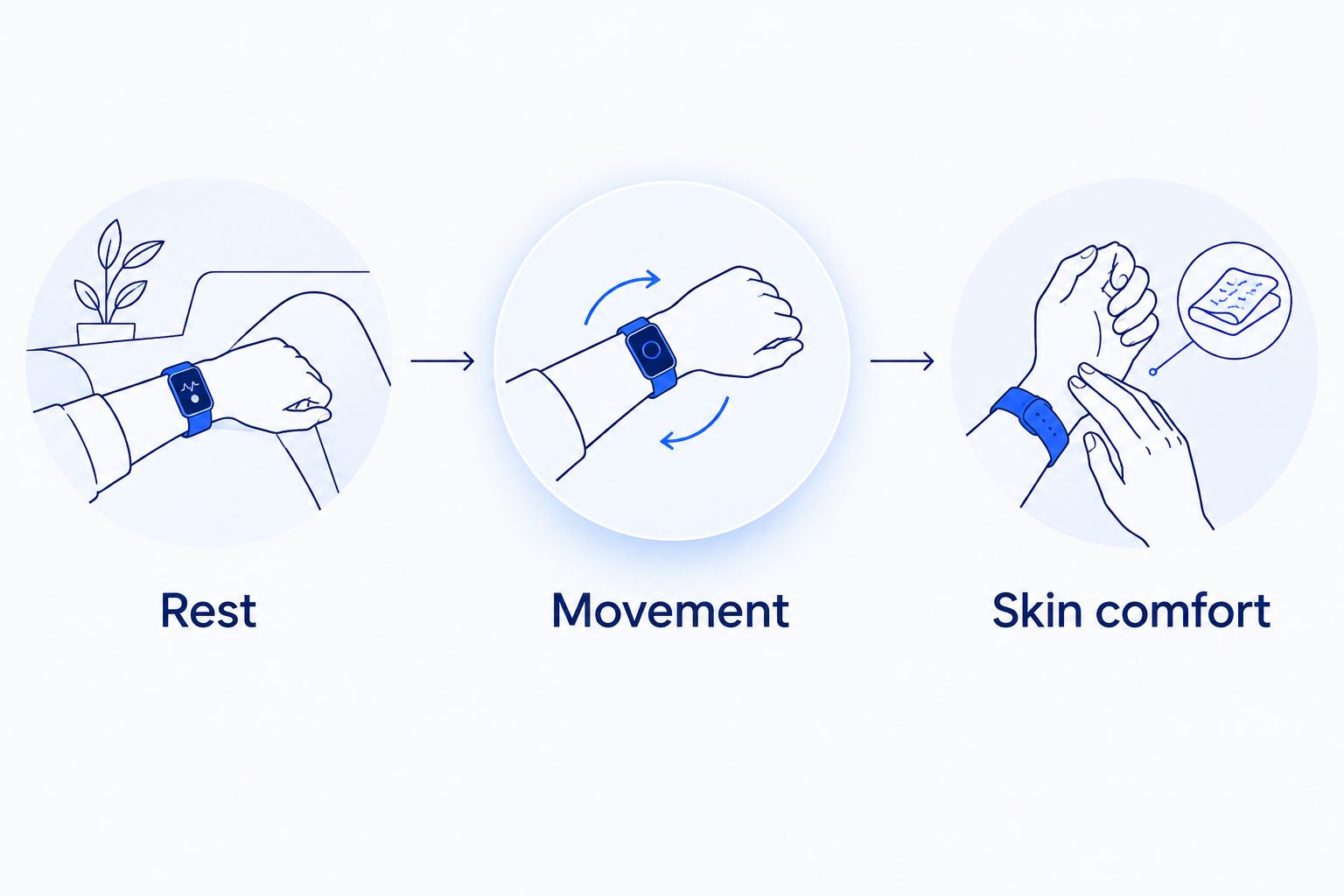
Use 3 fit checks: rest, movement, and skin comfort. These are practical checks, not a numerical tightness standard or a promise of measurement accuracy.
- Inspect the attachment. Before wearing the band, look for an incompletely seated connection, twisted fabric, or a closure that is not secured. Do not wear the device with a visibly insecure attachment.
- Set a comfortable starting fit. Adjust the strap so the device stays in place during ordinary movement without pinching. Do not tighten it until it hurts simply to stop every small movement.
- Check the resting position. Relax your hand and forearm. Notice whether an edge presses into your skin or the fabric folds underneath itself.
- Test normal movement. Bend your wrist gently, type, and reach for something nearby. Adjust if the position that felt fine at rest now digs in or pulls.
- Check skin comfort. Remove the wearable if you experience pain, numbness, or irritation. Repeated tightening is not a fix for discomfort.
Expected result: Hume Band 2.0 stays in a comfortable position through ordinary movements without requiring you to hold your wrist differently.
A comfortable fit is a starting point, not a permanent setting. Keep the same checks in your 2026 routine whenever the strap feels different rather than relying on how it fitted when you first put it on.
Daily wearing routine
Build the strap check around transitions that already happen in your day. You do not need an app setting or a premium feature to do this.
- Check before your main activity. Before a walk, workout, or long desk session, notice whether the strap feels secure and comfortable in that position.
- Respond to slipping with a small adjustment. Recheck the attachment and fabric position first. Then adjust the fit rather than immediately pulling the strap as tight as possible.
- Reassess after sweating. Remove the device when necessary to address dampness and skin comfort. Resume wear with dry skin and a dry strap; do not treat breathable fabric as a substitute for drying.
- Check before settling down. If you wear the band while resting or sleeping, make sure the device is not pressing into your wrist in your usual resting position.
Expected result: You have a repeatable check at activity changes instead of repeatedly reacting to discomfort after it builds.
Keep 2 checkpoints easy to remember: before activity and afterward. Add a resting-position check when you plan to wear the band overnight. These checkpoints are a routine you choose, not a manufacturer-prescribed wearing schedule.
Hume products for this workflow
HumeWeave 2.0 is the strap option for readers who prefer soft, breathable woven fabric. Hume Band 2.0 is the wearable it is made for. If you already own the wearable, the strap is the relevant accessory; this workflow does not require another device.


Desk-to-activity fit changes
A useful second workflow is to reassess fit whenever you switch between desk work and physical activity. The goal is not a special exercise setting. It is a comfortable fit in the position you are actually using.
- Start at your desk. Rest your forearms in your normal working position and type. Notice whether the device or strap presses against the desk edge.
- Stand and move. Walk around and let your arms move naturally. Check whether the band shifts enough to make you keep repositioning it.
- Adjust for the activity. Correct twisted fabric or an uncomfortable position before changing tightness. Use the smallest adjustment that resolves the problem.
- Recheck when you return. A fit you changed for movement should still feel comfortable when you resume typing or resting.
Expected result: You can move between everyday activities without accepting either constant slipping or excessive pressure.
For a 2026 routine that includes both work and exercise, use these transitions as reminders. You do not need to create a separate reminder for every possible activity.
Troubleshooting
The band slips during ordinary movement
Check that the strap is securely attached and the fabric lies flat. Adjust gradually, then repeat the movement that caused slipping. Do not solve slipping by tightening to the point of pain or numbness.
The strap feels fine until you start typing
Check where the wearable meets the desk and how much your wrist bends. Reposition your arm and reassess the fit in your actual typing posture. Testing only with a relaxed hand misses this problem.
Your wrist feels damp after activity
Pause wear to address moisture and let your skin and strap dry. Soft, breathable fabric still needs a sensible wearing routine. Putting a damp strap straight back on does not resolve the source of discomfort.
Your skin becomes irritated
Stop wearing the device on irritated skin. Do not keep testing tighter adjustments or cover the irritation with the strap. Seek medical advice for persistent or concerning symptoms; consumer tracking does not replace medical care.
You expected different measurements after changing straps
A strap changes how you wear the device, not which health measurements the device provides. Keep accessory choice separate from tracking features. Do not interpret a strap change as evidence that a health trend has improved or worsened.
Customize your workflow
Once the fit feels comfortable, choose 1 habit to observe alongside your wearable trends. A consistent bedtime or a regular walk gives you a clear daily action to reflect on without changing several things at once.
Use Hume Health app tracking to understand patterns rather than treating a single reading as a verdict. For example, compare your sleep routine with how you feel and the sleep trends you see. An observation can guide your next habit choice without proving that one behavior caused a particular result.
For 2026, keep the routine small enough to repeat: comfortable fit, consistent wear when appropriate, and a habit you can describe clearly. Optional premium coaching and deeper personalized analysis are separate from included core tracking. Neither changes the need for a comfortable strap.
FAQ
Is the HumeWeave strap for Hume Band 2.0?
Yes. HumeWeave 2.0 is a soft, breathable woven strap made for Hume Band 2.0. Match the accessory to that device version rather than assuming compatibility with another wearable.
How tight should my HumeWeave strap feel?
The strap should keep the wearable comfortably in place without pinching, pain, or numbness. Check the fit at rest and during normal wrist movement rather than using tightness alone as the goal.
Can I use Hume Band 2.0 without Hume Pod?
Yes. Hume Band 2.0 works on its own, and Hume Pod is optional. You do not need a body-composition device for this strap-fitting routine.
Do I need a subscription to use core tracking in 2026?
No. Hume Health core app tracking does not require a subscription. Premium coaching and deeper personalized analysis are optional paid upgrades.
Does HumeWeave 2.0 add new health measurements?
No. HumeWeave 2.0 is a strap, not an additional tracking device. Its role is the wearing experience; Hume Band 2.0 provides wearable tracking.
What should I do if my wrist feels irritated?
Remove the wearable from irritated skin rather than tightening or repeatedly repositioning it. Seek medical advice if irritation persists or symptoms concern you.
Should I change the fit between desk work and exercise?
Recheck the fit when your activity changes, and adjust only when needed for comfort and stability. A comfortable resting fit should also be tested during the movements you actually make.
One last thing
Test the strap in the position where you spend the most time, not just the position where you put it on. For a desk worker, that means typing. For someone tracking overnight habits, it means their usual resting position. That small change makes the fit check relevant to real use.